
:max_bytes(150000):strip_icc()/how-to-place-whatsapp-international-calls-without-extra-charges-1efdc560865946ba8d04ab10461bbf31.jpg "Does WhatsApp Charge for International Calls? Your 2026 Guide")
Have you ever wondered does WhatsApp charge for international calls? In today’s connected world, staying in touch across borders matters more than ever. WhatsApp makes it simple with voice and video calls that skip traditional phone lines. But questions about hidden fees persist. This guide clears up the confusion with facts, tips, and insights. You’ll learn how calls work, potential costs, and ways to keep them affordable.
The Basics of WhatsApp Calls
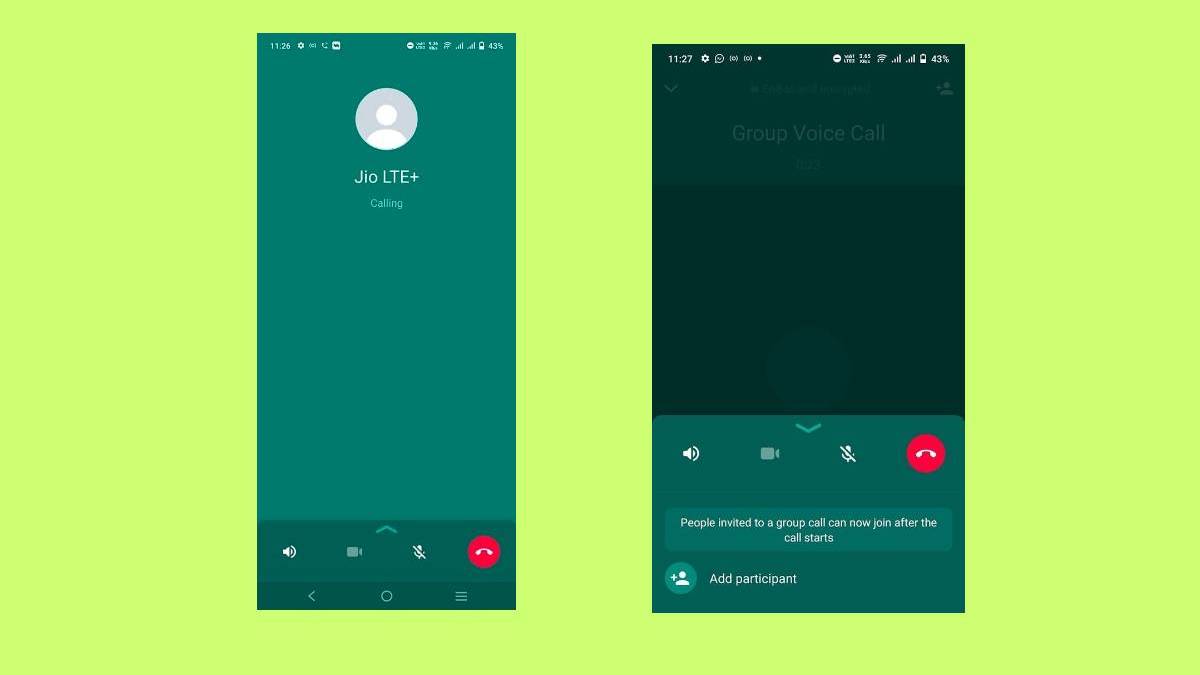
WhatsApp lets you call anyone with the app, no matter where they are. It uses your internet connection instead of cellular voice networks. This means calls to friends in another country feel just like local ones. The app handles voice, video, and even group calls for up to eight people.
Voice calls focus on clear audio. Video adds face-to-face chats. Both run on end-to-end encryption, keeping talks private. No one, not even WhatsApp, can listen in.
Why choose WhatsApp? It’s user-friendly. Open the app, pick a contact, and tap the call icon. No need for special codes or apps. Plus, it works on phones, computers, and tablets.
Does WhatsApp Charge for International Calls?
No, WhatsApp does not charge for international calls. The app offers free voice and video calls worldwide. This holds true whether you’re calling next door or across oceans. WhatsApp stopped all subscription fees back in 2016, making everything cost-free from their side.
But here’s the catch: Calls need internet. If you use mobile data, your carrier might bill you. On Wi-Fi, it’s completely free. For travelers or expats, this saves big compared to old-school international dialing.
Take Sarah, a student in Pakistan calling family in the US. She uses Wi-Fi at home, so no extra costs. But on the go, she watches her data plan to avoid surprises.
How WhatsApp International Calls Work
WhatsApp calls rely on Voice over Internet Protocol (VoIP). Your voice turns into data packets sent online. The receiver’s app reassembles them into sound.
For international use:
- Verify your number: Use your phone number to sign up. It links to your account.
- Connect to internet: Wi-Fi or mobile data works.
- Start a call: Tap the phone or camera icon in a chat.
- Handle interruptions: Calls pause if connection drops but resume when it returns.
This setup beats traditional calls, which route through phone towers and incur per-minute fees. WhatsApp skips that, using data like browsing a webpage.
Understanding Data Usage in WhatsApp Calls
Data is key to costs. A voice call uses about 0.2 to 0.5 MB per minute on average. For 30 minutes, that’s roughly 6 to 15 MB. Video calls eat more—up to 1.5 MB per minute or 45 MB for half an hour.
Factors affecting usage:
- Call type: Voice is lighter than video.
- Connection quality: Poor signals increase data to maintain clarity.
- Duration: Longer talks mean more data.
Monitor usage in WhatsApp settings. Go to Storage and Data > Network Usage. It shows totals for calls, messages, and media.
Tips to Reduce Data Usage on WhatsApp Calls
Worried about data bills? Follow these steps to cut usage:
- Enable low-data mode: In Settings > Storage and Data, toggle “Use Less Data for Calls.” This reduces quality slightly but saves up to 60% on data.
- Stick to Wi-Fi: Call from home, cafes, or hotspots to avoid mobile data.
- Limit video: Use voice for routine chats; save video for special moments.
- Close background apps: They compete for bandwidth, forcing WhatsApp to use more data.
- Update the app: New versions optimize data efficiency.
- Check carrier plans: Opt for unlimited data or add-ons for heavy users.
These tips help users like Tom, a businessman traveling often. He enables low-data mode and uses hotel Wi-Fi, keeping costs low.
Background and History of WhatsApp
WhatsApp started in 2009, founded by Jan Koum and Brian Acton, former Yahoo employees. They wanted a simple messaging app without ads. It began as a status updater but grew into full messaging.
Key milestones:
- 2010: Added Android support, hitting 250,000 users.
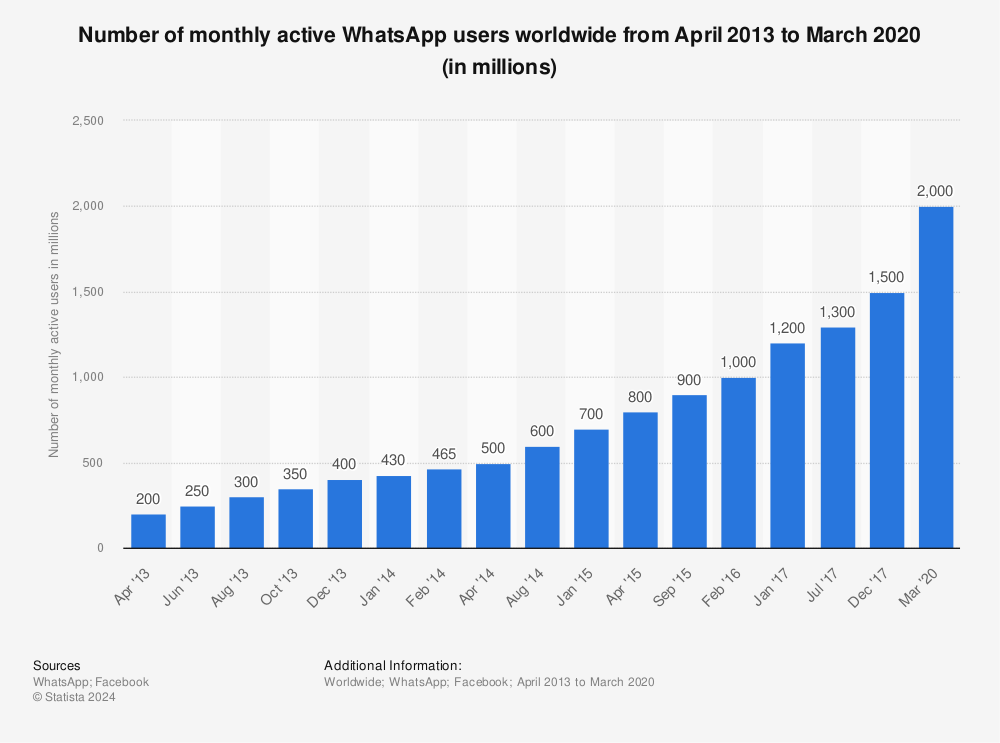
- 2013: Reached 200 million users.
- 2014: Facebook bought it for $19 billion.
- 2015: Launched voice calls.
- 2016: Ended fees; added video calls and encryption.
- 2020: Hit 2 billion users.
- 2025: Surpassed 3 billion monthly active users.
Today, it’s Meta’s powerhouse, available in over 180 countries and 60 languages.
Achievements and Key Statistics
WhatsApp boasts impressive numbers in 2026:
- Monthly active users: Over 3.14 billion worldwide, up from 3 billion in 2025.
- Daily messages: 100 billion sent globally.
- Top countries: India (500+ million users), Brazil, Indonesia.
- US users: 100 million monthly.
- Downloads: Over 6.3 billion cumulative by 2024, still growing.
- Business impact: 98% open rates for messages; boosts sales by 20-30% for companies.
These stats show WhatsApp’s dominance. It handles more daily messages than SMS worldwide.
| Statistic | Value | Source |
|---|---|---|
| Monthly Active Users | 3.14 billion | Statista, Backlinko |
| Daily Messages | 100 billion | Meta Reports |
| Countries | 180+ | WhatsApp Official |
| US Users | 100 million | Backlinko |
| Cumulative Downloads | 6.3 billion | YCloud |
WhatsApp Business and International Calls
For businesses, WhatsApp Business adds tools like catalogs and quick replies. Calls remain free, but API integrations allow scheduled or bulk communications.
Businesses use calls for customer support. A shop in Punjab, Pakistan, might call international clients without fees, just data. Link to scheduling messages on WhatsApp for more tips.
Security features like two-step verification protect business accounts.
Comparing WhatsApp to Traditional International Calls
Traditional calls cost $0.35 to $0.50 per minute internationally. A 10-minute call? Up to $5. WhatsApp? Pennies in data—about $0.01-0.02 per minute on average plans.
Pros of WhatsApp:
- No per-minute fees.
- Video option.
- Group calls.
Cons:
- Needs internet.
- Quality varies with connection.
For travelers, WhatsApp wins. A family vacationing abroad can call home daily without breaking the bank.

Common Myths About WhatsApp Charges
Myth 1: WhatsApp charges for international use. Fact: No, only data applies.
Myth 2: Calls use phone minutes. Fact: They’re data-based, not airtime.
Myth 3: Roaming always costs extra. Fact: On Wi-Fi, no; on data, check provider.
Myth 4: Business calls have fees. Fact: Free, but API has separate pricing for large-scale use.
Security and Privacy in International Calls
End-to-end encryption secures calls. Only you and the receiver access content. Enable two-step verification: Settings > Account > Two-step verification.
For international users, avoid public Wi-Fi without VPN. This prevents data leaks.
WhatsApp Calls for Travelers
Traveling? WhatsApp shines. Use local SIMs or eSIMs for data. Apps like Nomad eSIM provide affordable plans.
Tips:
- Download offline maps to save data.
- Share locations during calls.
- Use channels for group updates.
Future of WhatsApp Calling
In 2026, expect better AI for translations in calls. Multi-device support improves, letting you call from watches or cars. Native scheduling might arrive, building on current features.
FAQs
Does WhatsApp charge for international calls if on Wi-Fi? No, Wi-Fi calls are free. No data fees from your carrier.
How much data does a WhatsApp international call use? Voice: 0.2-0.5 MB/min. Video: Up to 1.5 MB/min.
Can I make WhatsApp calls without a phone number? No, you need a verified number. Check my WhatsApp number for help finding it.
Are there limits on call duration? No limits from WhatsApp, but data plans might cap you.
What if my carrier charges for WhatsApp calls? It’s data usage, not calls. Contact them for details. See the official WhatsApp charges FAQ.
Conclusion
In summary, does WhatsApp charge for international calls? No, the app keeps them free, relying on your internet. Watch data usage, use Wi-Fi, and enable savings modes to stay cost-effective. With billions of users and constant updates, WhatsApp remains a top choice for global communication. For more on WhatsApp features, visit the Biz Reporterz home.
What are your experiences with WhatsApp international calls? Share in the comments!
References
- WhatsApp Official Help Center: Provides authentic info on charges and features. Ideal for users seeking verified answers.
- Biz Reporterz Articles: Guides on numbers and scheduling help everyday users and businesses understand app basics.
- Statista and Backlinko: Reliable for stats on users and growth, targeting data-driven audiences like marketers.
- Nomad eSIM and Roamless: Travel-focused, appealing to expats and tourists worried about roaming.
- Reddit and Quora: User discussions offer real-world insights for a broad, curious audience.