
Have you ever wondered what makes your computer think and act so fast? The answer lies in its brain, known as the processor. What Is a Computer Processor and How Does It Work? Let’s dive in. A computer processor, or CPU, handles all the calculations and commands that make your device run. It turns simple instructions into actions you see on screen. This small chip powers everything from playing games to browsing the web. In this guide, we break it down step by step.
Computers have come a long way since their early days. Today, processors are tiny but mighty. They process billions of tasks each second. Understanding them helps you choose better devices or fix simple issues. We use facts from trusted sources to keep things real. For a broader look at what is a computer, check that out.
The History of Computer Processors
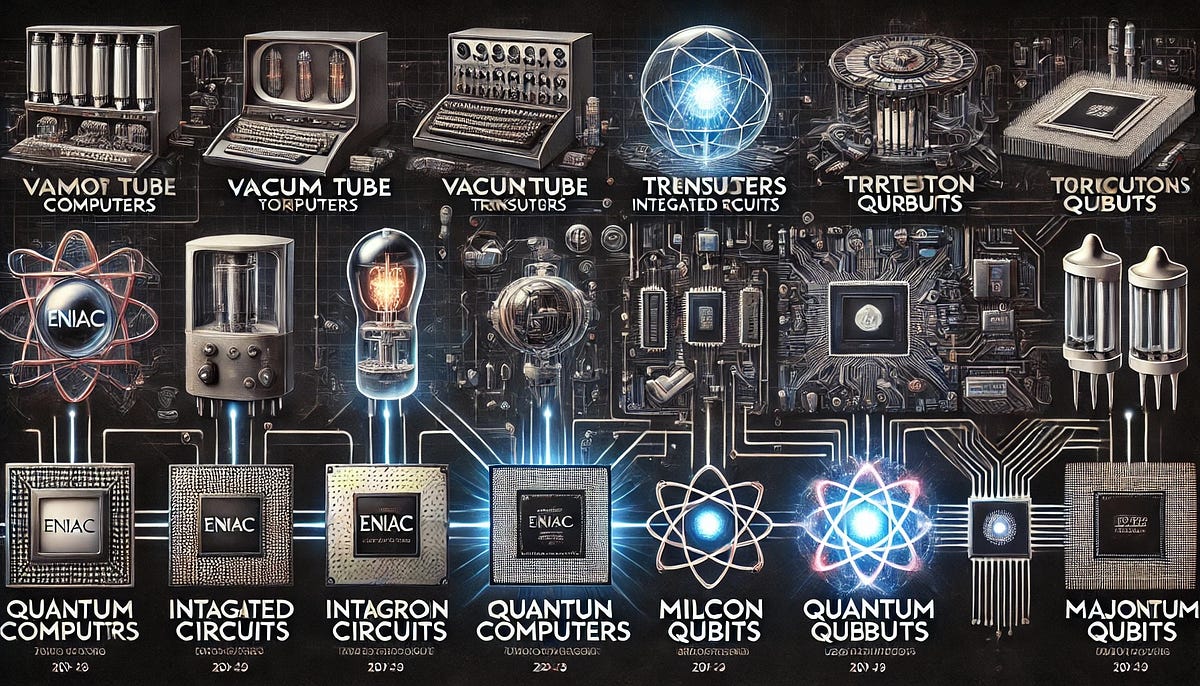
Processors started big and slow. In the 1940s, machines like ENIAC used vacuum tubes. These tubes acted like switches but got hot and broke often. ENIAC filled a room and used 18,000 tubes. It could do math fast for its time, like 5,000 additions per second.
Then came transistors in 1947. They replaced tubes and made things smaller. Transistors are tiny switches that control electricity. By the 1950s, computers shrank to desk size. In 1971, Intel made the 4004 microprocessor. This chip put a whole processor on one piece of silicon. It had 2,300 transistors and ran at 740 kHz. That’s slow compared to today.
Moore’s Law changed everything. Gordon Moore said transistor count doubles every two years. This made processors faster and cheaper. By the 1980s, personal computers like the IBM PC used Intel 8086 chips. They had 29,000 transistors.
The 1990s brought multi-core designs. Instead of one core, chips had two or more. This let them handle more tasks at once. AMD and Intel raced to add cores. Today, some CPUs have 32 cores or more.
In recent years, AI cores joined the mix. These help with smart tasks like voice recognition. By 2026, over 70% of new PCs use multi-core CPUs with AI features, per Statista. Processors evolved from room-sized beasts to pocket powerhouses. This history shows how innovation drives speed.
For more on the evolution of modern computer parts, see this resource.
Key Components Inside a Processor
A processor has several parts that work together. Think of it as a team in a factory. Each part has a job.
- Control Unit: This directs traffic. It tells other parts what to do. It reads instructions and sends signals.
- Arithmetic Logic Unit (ALU): This handles math and decisions. It adds, subtracts, or compares numbers. For example, when you edit a photo, the ALU adjusts colors.
- Registers: These are quick storage spots. They hold data the processor needs right now. Common ones include the program counter (PC) and instruction register (IR).
- Cache: This is fast memory inside the chip. It stores often-used data to save time. Levels include L1 (smallest, fastest), L2, and L3.
Modern processors also have integrated GPUs for basic graphics. Some include NPUs for AI tasks. All these fit on a chip smaller than your thumbnail. Transistors make this possible—billions packed in.
Understanding these helps when you read specs. For instance, more cache means faster loading.

What Is a Computer Processor and How Does It Work?
Here we explain the core process. A processor follows a cycle called fetch-decode-execute-store. This repeats billions of times per second.
- Fetch: The control unit grabs an instruction from memory. It uses the program counter to find the address.
- Decode: The unit breaks down the instruction. It figures out what action to take, like add two numbers.
- Execute: The ALU does the work. If it’s math, ALU calculates. If it’s a decision, it compares.
- Store: Results go back to memory or registers. Then the cycle starts over.
Clock speed measures how fast this happens. A 5 GHz CPU does 5 billion cycles per second. But more isn’t always better—architecture matters too.
Threads add efficiency. One core can handle multiple threads, like juggling tasks. Multi-core CPUs split work across cores. For gaming, this means smooth play without lag.
Processors use binary code—0s and 1s. Transistors flip these bits. Heat is a byproduct, so cooling is key.
This cycle makes your computer respond instantly. It’s simple yet powerful.

Different Types of Processors
Not all processors are the same. They fit different needs.
- Desktop CPUs: Powerful for home PCs. Examples: Intel Core i9 with 24 cores. Great for editing videos.
- Mobile Processors: For laptops and phones. ARM designs like in Snapdragon save battery. They run at lower power.
- Server Processors: For data centers. AMD EPYC handles many users. They have more cores, up to 128.
- Embedded Processors: In cars or appliances. Small and efficient.
Each type balances speed, power, and cost. For everyday use, a quad-core works fine.
Factors That Affect Processor Performance
Several things make a processor fast.
- Cores and Threads: More cores mean better multitasking. Threads double efficiency per core.
- Clock Speed: Higher GHz for quicker cycles. But watch for heat.
- Cache Size: Larger cache reduces wait times. L3 cache can be 64 MB.
- Architecture: New designs like AMD Zen 5 improve instructions per cycle.
- TDP (Thermal Design Power): Measures heat output. Lower TDP for laptops.
Stats show: A CPU with 8 cores can render video 2x faster than 4 cores. Overclocking boosts speed but needs good cooling.
Popular CPU Brands and Comparisons
Intel and AMD lead the market. Intel holds about 70% share, but AMD grows with value.
- Intel: Known for speed. Core Ultra series adds AI cores.
- AMD: Ryzen 9000 offers great multi-threading. Cheaper for gamers.
ARM dominates mobiles. Apple M-series combines CPU and GPU for efficiency.
Compare: Intel i7 vs AMD Ryzen 7—similar in games, but AMD wins in editing.
For details on CPU specifics, explore this.
How Processors Connect to Other Computer Parts
A processor doesn’t work alone. It sits on the motherboard, connected by pins.
- RAM: Supplies data quickly. DDR5 at 6400 MHz pairs well.
- GPU: Handles graphics. Integrated ones suffice for basics.
- Storage: SSDs feed data fast via PCIe.
Buses like PCIe transfer data at 64 GB/s. This teamwork makes computers whole.
For more on modern computer parts, see here.
Future Trends in Processors
Processors keep evolving. Quantum bits (qubits) promise super speed for complex problems.
AI integration grows. NPUs handle machine learning without draining power.
Smaller transistors—down to 2 nm—pack more power. 3D stacking adds layers.
By 2026, AI market hits $500 billion, driving CPU changes. Sustainable materials reduce e-waste.
These trends make devices smarter and greener.
Common Processor Issues and Fixes
Issues happen. Overheating slows things down. Fix with better fans or paste.
Slow performance? Update drivers or add RAM.
Dust clogs vents—clean monthly.
Tips:
- Monitor temps with software.
- Avoid overclocking without knowledge.
- Upgrade every 5 years for gains.
These keep your processor healthy.
FAQs
What is CPU cache? It’s fast memory inside the processor for quick data access.
How many cores do I need? 4-8 for basic use, 16+ for pro work.
Difference between CPU and GPU? CPU handles general tasks; GPU focuses on images.
Can I upgrade my processor? Yes, if motherboard matches. Check compatibility.
Why does my CPU overheat? Poor cooling or heavy load. Add fans.
For more tech insights, visit Biz Reporterz.
Conclusion
In summary, What Is a Computer Processor and How Does It Work? It’s the brain that fetches, decodes, executes, and stores instructions at lightning speed. From vacuum tubes to multi-core marvels, processors power our world. They handle math with ALU, direct with control units, and speed up with cache. Brands like Intel and AMD push limits, while future AI and quantum tech excite.
Understanding this helps you make smart choices. What do you think the next big processor breakthrough will be?
References
- What Parts Make a Modern Computer (2025–2026 View)? – Provides insights on computer components and future trends, useful for beginners learning about hardware integration.
- What Is a CPU? Complete Beginner’s Guide – Detailed explanations of CPU functions, history, and troubleshooting, aimed at new users.
- What Is Computer? A Beginner’s Guide – Basic overview of computers, including processor roles, for those starting from scratch.